
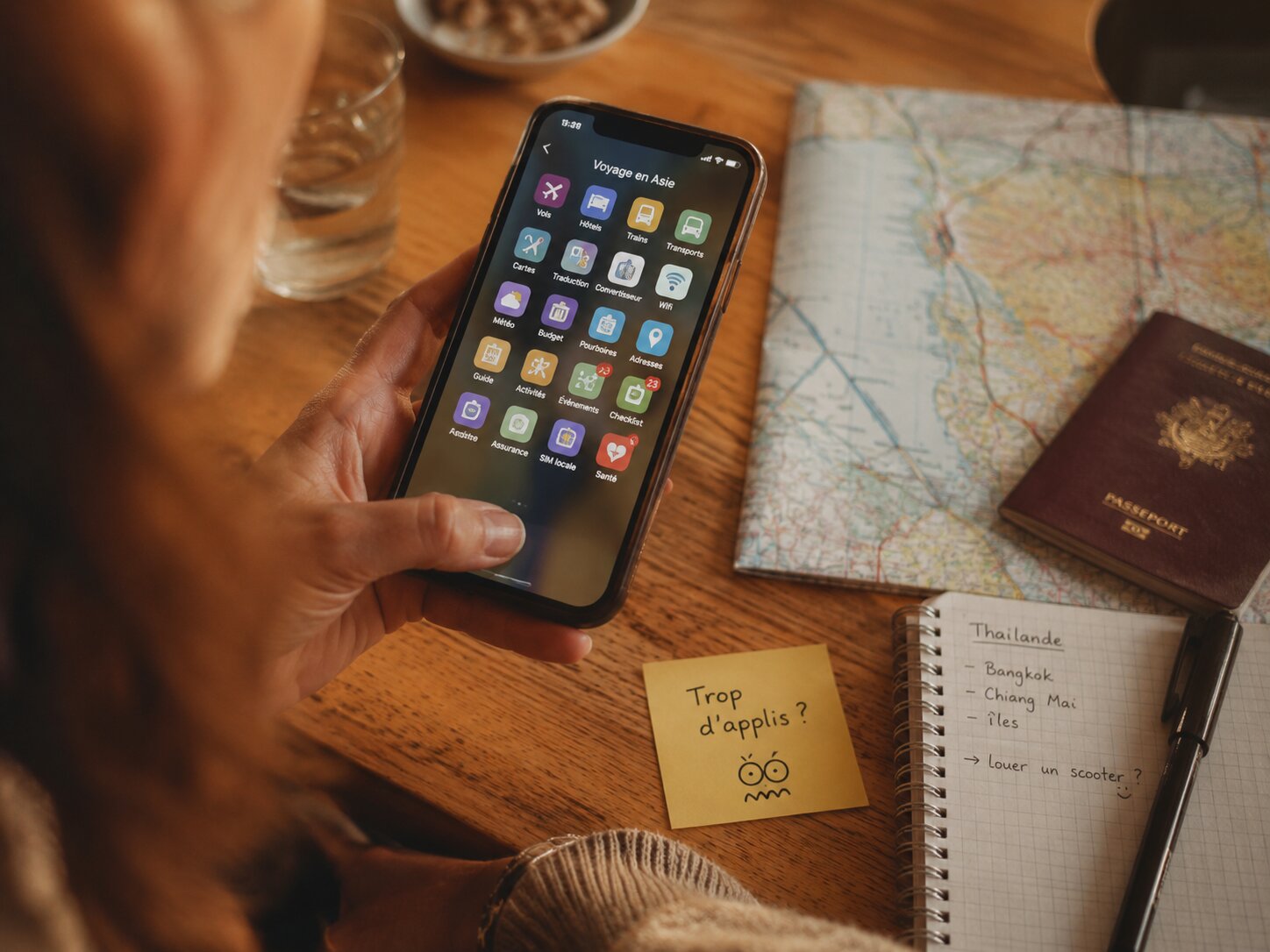
What you’ll find here: the tools I actually use to cut down the friction of long-term travel — transport, accommodation, money, internet, translation, documents, safety, notes and memories. For each use case: what the app does, what it doesn’t solve, and the limits to keep in mind.
Updated: May 2026 — based on several months in the field in Thailand, Indonesia and Southeast Asia.
You don’t leave with apps.
You leave, and quickly discover the situations where not having a tool costs you time, money or energy.
An airport at 10pm, with no idea what a normal taxi fare should be. A payment declined because the card isn’t recognized. A street you can’t find in a neighborhood with no signal. Accommodation booked too fast, with photos more flattering than reality. An insurance document requested at the border, while it’s sitting somewhere in a bag.
This guide is built from those moments — it isn’t a marketing sheet and doesn’t promise perfect optimization. It aims to answer the simple needs of long-term travel: arriving, getting around, paying, connecting, understanding, finding your way, keeping your documents, avoiding avoidable mistakes.
Apps alone don’t make you self-sufficient. They reduce certain friction points. The rest still depends on the ground, on people, on attention, and on the ability to keep backup solutions.
Overview: the toolkit by use case
🟦 Essential tools — the ones you pay for immediately if you don’t have them
Reading tip: click a use case in the tables to jump straight to the matching section.
| Use case | Main tool | Alternative |
|---|---|---|
| Local transport | Grab | Gojek, Bolt, Maxim, inDrive |
| Long-distance transport | Rome2Rio | Official sites, local agencies |
| Flights | Skyscanner | Airlines’ direct sites |
| Offline navigation | Google Maps offline | Maps.me, Organic Maps |
| Flexible accommodation | Booking.com | Agoda |
| Long-stay accommodation | Airbnb | Direct negotiation |
| Payments and withdrawals | Wise | Revolut, main bank |
| Exchange rates | iCurrency | Manual calculation |
| Internet on arrival | Light eSIM | Saily, Airalo, Nomad |
| Long-stay internet | Local SIM | — |
| Connection quality | Speedtest | — |
| Cloud documents | Google Drive | Dropbox, iCloud |
| Scanning paper documents | Genius Scan | Phone photo |
🟨 Tools useful depending on context — translation, health, notes, photos
| Use case | Main tool | Alternative |
|---|---|---|
| Simple translation | AI voice translator (much better) | Google Translate |
| Reading text from a photo | Google Lens | — |
| Important documents | ChatGPT / AI | — |
| Health insurance | Insurer’s app | Offline phone numbers |
| Health recommendations | Google Maps | Local Facebook groups |
| Field notes | Google Keep | Native notes app |
| Photo backup | Google Photos | iCloud, external hard drive |
🟧 One-off tools — useful once, not every day
| Use case | Main tool | Alternative |
|---|---|---|
| VPN | Surfshark | Depending on need |
| Administrative calls | Viber Out | Skype |
| Budget tracking | Tricount, GoodBudget | Google Sheets |
| Postcards | Touchnote | — |
A field-tested list, not an exhaustive one
This selection reflects my own path — mainly Thailand, Indonesia, and a few other Southeast Asian destinations. Other countries call for other tools, and things change fast.
An app that’s useful in Bali might matter less in Laos. A service that works well in Bangkok might become almost useless in a small mountain town. A tool that’s handy for two days might have no value at all for a month-long stay.
That’s why I sort these apps by use case, not by popularity. The goal isn’t to have forty icons on your phone. The goal is to know which tool to use at the right moment.
Apps also have their limits.
Remote villages where everything runs on cash. Markets where no one takes cards. Roads that exist on Google Maps but no longer look like roads. Areas with no signal where the best app in the world is useless.
The analog backup plan is still essential. Some cash. An address written down offline. A paper copy of your passport. A power bank. And often, the best information comes from a conversation with a guesthouse owner, another traveler met in a café, or a local who knows the track no map shows.
🔲 None of the recommendations here are sponsored. I describe what I use, why, and where it falls short.
🟦 Essential tools — the ones you pay for immediately if you don’t have them
Transport, accommodation, money, connectivity, maps, documents. These are the everyday tools — the ones that really change how smoothly a long trip runs.
Getting around
On some arrivals, taxis can become a real source of fatigue: pushy touts, random fares, refusal to use the meter. That’s not true everywhere — in Indonesia and Thailand, plenty of drivers simply do their job properly. But in some touristy areas, the whole system around it can become tiring.
Ride-hailing apps changed one important thing: they show a price, a destination, a route and a trip record before you even get in the vehicle. That’s already a lot.
Grab — the default in Southeast Asia
Grab covers Thailand, Indonesia, Vietnam, Malaysia, the Philippines, Singapore and a few other countries. Its availability varies a lot by city — very useful in a capital, less so in a rural area or a small island.
◆ Price visible before getting in
◆ Address sent directly to the driver
◆ Compare car, motorbike, delivery depending on the country
◆ A useful price benchmark, even if you end up taking other transport
▪ Not always available in rural areas
▪ Some touristy areas limit or block ride-hailing
▪ Card payment sometimes glitchy — cash is safer
🔲 Use Grab as a benchmark for price and distance, not as absolute truth. After a few days, a reliable local contact can become simpler.
Gojek — essential in Indonesia
In Indonesia, Gojek is often just as present as Grab, sometimes more practical depending on the city. For short trips, scooters or deliveries, it can be more efficient.
🔲 In Indonesia, having both installed gives you more margin. One can be cheaper, more available, or better accepted depending on the area.
Bolt, Maxim, inDrive — check locally
Other apps exist depending on the country and city. Less essential than Grab or Gojek in Southeast Asia, but relevant in certain destinations.
🔲 Before each arrival, check which apps actually work in that specific city.
Rome2Rio — see the options before you move
Traveling around Asia long-term also means moving from one city to another, one island to another. The problem isn’t just the price — it’s clarity. How many hours? Ferry or plane? Is there a direct connection?
Rome2Rio isn’t a booking app. Its value is giving you the big picture: you enter a point A and a point B, and the app shows the possible options with duration and price estimates.
◆ Understand whether a direct connection exists
◆ Spot possible combinations
◆ Avoid discovering too late that a route is more complicated than expected
▪ Schedules sometimes incomplete or outdated
▪ Prices are indicative — check official sites or on the ground
🔲 Rome2Rio is for understanding, not deciding on its own. Once you’ve spotted the route, check with the carrier or a local agency.
Skyscanner — compare flights
Useful for spotting flight options, especially when comparing several dates or airports.
🔲 Once you’ve found the flight, go straight to the airline’s own site. In case of cancellation or change, dealing with them directly is simpler than an online agency.
Maps and orientation
Not relying solely on network coverage is a matter of comfort — and sometimes safety.
Offline Google Maps — essential, but test it first
Google Maps lets you download entire areas. Once saved, the map works with the phone’s GPS with no internet connection at all.
◆ GPS location with no signal
◆ Save important places ahead of time
◆ Basic navigation and distance tracking
▪ No recent reviews or updated hours offline
▪ Roads shown don’t always match the real state of the ground
▪ Downloaded areas take up storage space
🔲 Download the map, then turn off your connection to test that everything works. I’ve had surprises from trusting the app too much without checking beforehand.
Maps.me / Organic Maps — useful in remote areas
Based on OpenStreetMap, these apps can show certain tracks and back roads better than Google Maps in rural areas.
🔲 Keep an alternative mapping app in reserve — not for daily use, but to cross-check when Google Maps gets fuzzy.
Accommodation
Accommodation apps do one thing well: finding a place to land quickly. They don’t show the dampness, the road noise, the missing light, or the unusable kitchen you’ll discover on arrival.
A place can be well rated, well photographed, well placed on the map, and still poorly suited to a long stay. The first nights are for observing, not committing.
Booking.com — last-minute responsiveness
The handiest tool for finding a place quickly, especially for the first nights.
◆ Lots of options available
◆ Fast booking with visible cancellation terms
◆ Useful filters: Wi-Fi, breakfast, air conditioning, location
▪ Photos can flatter reality
▪ Reviews don’t always mention noise, dampness or the real Wi-Fi quality
▪ Some last-minute deals aren’t cancellable — read the terms before confirming
▪ Long-stay prices are rarely the best
🔲 Booking is useful for the first two or three nights. For a long stay, it’s better to visit in person, talk directly, and negotiate the duration.
Agoda — often well positioned in Asia
Particularly strong in Thailand, Indonesia and Malaysia. Sometimes offers better rates than Booking for the same properties.
🔲 Comparing both before booking takes thirty seconds. For some hotels, the gap can be real.
Airbnb — useful in some cases, not always the best reflex
Worth it for a week or a month, especially if you’re after a kitchen, a workspace, or a whole place to yourself. But in Southeast Asia, not always the best value for money.
🔲 Worth checking for a stay of a month or more. But the ground is often still better: visiting in person, talking, asking the guesthouse, the neighbors, local groups.
Money
On a short trip, a few bank fees go unnoticed. Over several months, they add up visibly. Withdrawals, payments, conversions, ATM fees, declined cards, limits: it all ends up counting.
Wise — the travel account
A multi-currency account that lets you convert, pay, withdraw and send transfers at the real market rate, with clear fees.
◆ Clear conversion between currencies, fees shown before you confirm
◆ Handy debit card with virtual cards available
◆ Useful separation from your main bank account
▪ Card sometimes declined by certain terminals or ATMs
▪ Free withdrawal limits depending on terms
▪ Local ATMs may add their own fees
🔲 Wise can become your main travel account, but not your only solution.
Revolut — as a backup and complement
Similar logic to Wise: card, conversion, payment, expense tracking, virtual cards.
🔲 In short: a main card, a backup card, some cash, and access to your regular bank account if needed.
Main bank app — don’t forget it
Even if Wise or Revolut become your everyday tools, your bank’s own app needs to be ready before you leave: notifications, strong authentication, limits, transfers, card blocking.
🔲 Test authentication before you leave. Some payments require confirmation by phone or SMS — abroad, that detail can block an important transaction.
iCurrency — check a rate in seconds
Shows real-time exchange rates and remembers the last rates without a connection. Essential before visiting a money changer.
🔲 Use the rate as a benchmark to avoid gross mismatches — no need for precision down to the cent.
Connectivity
Internet isn’t just comfort. On arrival, it lets you book a ride, notify accommodation, check a map, translate a sentence, find a reservation. But there’s a difference between “having internet on arrival” and “having internet for a month.”
Light eSIM on arrival — Saily, Airalo, Nomad, Holafly
Activate a small eSIM before arriving in a new country: just enough for the first few hours. Grab, Google Maps, WhatsApp, translation, hotel booking.
◆ Activation before arrival, no line at a shop
◆ Immediate connection as soon as you land
▪ More expensive than a local SIM for a long stay
▪ Coverage varies by country and partner network
▪ Not all phones support eSIM
Local SIM — as soon as the stay stretches on
In Thailand, Indonesia, Malaysia or the Philippines, a local SIM is often much better value for a stay of more than two weeks: better coverage, much better price per GB.
🔲 Light eSIM on arrival, local SIM as soon as possible if the stay runs longer.
Speedtest — check the real quality of a connection
Measures a connection’s speed in seconds. Useful in cafés or accommodation where the Wi-Fi is advertised as good, but reality is sometimes different.
🔲 Test the connection before committing to long-stay accommodation, especially if you work online.
Documents
Documents only become a problem the day you need one — and that day always comes at the wrong moment.
Google Drive, Dropbox or iCloud — back up the essentials
Having digital copies accessible from another device isn’t optional. Passport, visa, insurance, tickets, prescriptions, reservations, rental agreements.
◆ Accessible from any device
◆ Automatic syncing
▪ Useless without a connection if files aren’t downloaded for offline use
▪ A poorly locked phone becomes a risk
🔲 Three levels: essential paper copies, offline files on the phone, secure cloud backup.
Genius Scan — turn paper into a clean PDF
Quickly scan a paper document into a readable PDF: rent receipt, certificate, form, proof of something.
🔲 Scan it right away instead of putting it off. “Later” disappears fast while traveling.
🟨 Tools useful depending on context — translation, health, notes, photos
These tools come into play depending on the situation, the country, and the type of trip. Less essential than the previous ones, but often decisive at the right moment.
Translation and communication
Translation doesn’t replace a few words learned locally. But it helps a lot: asking a price, understanding a menu, showing an address, reading an instruction.
AI voice translator — much more effective than Google Translate
AI-based translators produce noticeably better results, especially for tonal languages. Real-time conversation flows better, nuances come through better.
🔲 Test your chosen app before you leave, on the languages of your destination country.
Google Translate — as a backup, and offline
Text, voice, conversation, offline translation depending on the language. Not perfect, but available everywhere and works with no connection.
🔲 Download the important languages before you leave.
Google Lens — reading menus, signs and receipts
Very effective for translating photographed text: menu, sign, receipt, instructions. More accurate and faster than Google Translate’s camera.
◆ Direct visual translation right on the photo
◆ Quick reading of a menu or sign
▪ Internet connection needed in most cases
▪ Translation is approximate depending on the language
ChatGPT, Claude or another AI — for text that matters
For a rental agreement, an official message, a complex invoice: a general-purpose AI translates better than a standard translator, and lets you ask questions about the content too.
🔲 For important documents, redact sensitive personal information before sending them.
Health and safety
Your travel insurance app
If your insurer offers an app: download it, log in, check the phone numbers, save the policy offline before you leave. It can help you locate medical partners, start a claim, send documents.
🔲 Don’t wait until you’re sick to discover the app.
Google Maps and local Facebook groups
Google Maps to locate accommodation, a pharmacy or a clinic. For more precise recommendations — an English-speaking dentist, a reliable clinic, a recommended doctor — local country or city Facebook groups can be a goldmine of concrete, up-to-date information.
🔲 In Southeast Asia, pharmacies are often accessible for common medications. Knowing the generic names of your medications, not just the French brand names, makes things simpler.
Notes and photos
Google Keep — the simple notebook
Simple, fast, synced. One note per country or place is enough: a few prices, a few impressions, a few contacts, a few mistakes not to repeat.
🔲 Five accurate lines beat a perfect system that never gets filled in.
Google Photos or iCloud — backing up memories
Losing your phone or SD card on a long trip isn’t theoretical. Automatic photo backup prevents losing everything.
◆ Automatic syncing over Wi-Fi
◆ Accessible from another device if the phone disappears
▪ An external hard drive shouldn’t be your only backup — if it’s in the same bag as your phone, it can disappear at the same time

🟧 One-off tools — useful once, not every day
These tools don’t deserve a spot in the main toolkit. But each one can solve a specific situation.
VPN — set up before you leave: Surfshark for example (good reputation, cheap)
Not always necessary for everyday browsing. But useful for certain French services, banking apps or administrative platforms that react badly to connections from abroad.
🔲 Set it up before you leave. Some VPN provider sites can be hard to reach once you’re already there.
Viber Out — calling administrative landlines
Some French services or banks only answer on a regular phone line. Viber Out lets you call at a reduced cost from abroad. Rarely needed — but when a landline number is the sticking point, it’s often the simplest solution.
Tricount, GoodBudget — tracking expenses
No need for a complex tool. Tricount is handy when traveling with others.
🔲 The best budget tool is the one you actually use. Simple notes kept for thirty days beat a perfect system abandoned after a week.
To plan your budget before leaving, you can also test your scenario here:
➡️ Download the Excel calculator
Touchnote — physical postcards from your phone
In a very digital trip, a physical gesture can still feel stronger than a message sent in five seconds.
What this list doesn’t replace
Tools reduce friction. They don’t replace attention to context.
Some of the best information I’ve found while traveling didn’t come from any app. A conversation with a guesthouse owner. A tip from another traveler in a café. A local who knows the track no map shows. Someone explaining that a neighborhood is noisy at night, that a road gets rough after rain, that a place is available off-platform.
Before leaving, testing the tools in real situations is more useful than installing everything at the last minute. A few minutes of checking avoid tricky situations at the wrong time.
FAQ — Useful apps for traveling in Asia
Do you need to install all these apps before leaving?
No. The useful minimum at departure: a downloaded and tested offline map, a transport app for the arrival country, a reliable banking solution, a document backup, WhatsApp, a translator. The rest comes as needs arise.
Which apps for a first trip to Asia?
A starting base: offline Google Maps, Grab or the local equivalent, Wise, your main bank’s app, Google Translate, Google Drive, WhatsApp, a simple notes app. This base covers the essentials: arriving, getting around, paying, translating, finding your documents.
Grab, Gojek or Bolt: which one to use?
It depends on the country and city. Grab is usually the default in Southeast Asia. Gojek is essential in Indonesia. Bolt, Maxim or inDrive exist locally depending on the destination. Before arriving in a city, check which apps actually work there.
Do you need an eSIM or a local SIM?
Both, in that order. Light eSIM on arrival, local SIM as soon as the stay stretches on. More economical and better suited over time.
Can you travel long-term in Asia with just your phone?
Technically, often yes. Cautiously, no. You need to keep backup solutions: cash, a second bank card, paper copies, offline documents, a power bank, contacts saved somewhere other than the phone.
How do you manage battery life on the move?
A 10,000 mAh power bank is usually enough for a full day. Get in the habit of charging whenever you get the chance — café, room, station, restaurant. On a long trip, battery isn’t a small detail.
What if your phone is stolen or lost?
Prepare for this before it happens: location tracking enabled, remote wipe, strong lock screen, two-factor authentication and automatic backups form a good base. Everyone then sets their own level of security. Important documents need to exist somewhere other than the phone.
Do you need a VPN in Asia?
Not systematically for everyday browsing. But useful for certain French services or banking apps. Set it up before you leave, not in an emergency.
Conclusion — A good tool should lighten the trip, not fill it up
The best apps for traveling in Asia aren’t the ones that promise to organize everything. They’re the ones that reduce one specific friction point.
Arriving without getting caught out by a fuzzy price. Finding your accommodation with no signal. Paying without depending on a single card. Translating a simple sentence. Showing a document in ten seconds. Backing up your photos.
But the tool has to stay in its place.
Traveling long-term takes something more than a phone full of apps. You need to know how to compare, ask, observe, keep some margin, plan backups, accept that the ground sometimes contradicts the screen.

Seen this way, this list might give the impression you need to travel with a cockpit dashboard in your pocket. That’s not the idea. Yes, all these apps can feel a bit geeky, and yes, they can also pull you back to the screen too often. It’s up to each person to set the balance: more preparation, or more room for the unexpected; more security, or more accepted margin. The point isn’t to install everything, but to know which tools genuinely lighten the trip — and which ones can be left aside.
The right tool disappears once the trip really begins.
This article is updated regularly based on time in the field. The information reflects my direct experience: prices, network coverage, app policies and local practices can change fast.

Leave a Reply